Website Internal Linking Should Follow the Reader's Next Question
Website Internal Linking Should Follow the Reader's Next Question
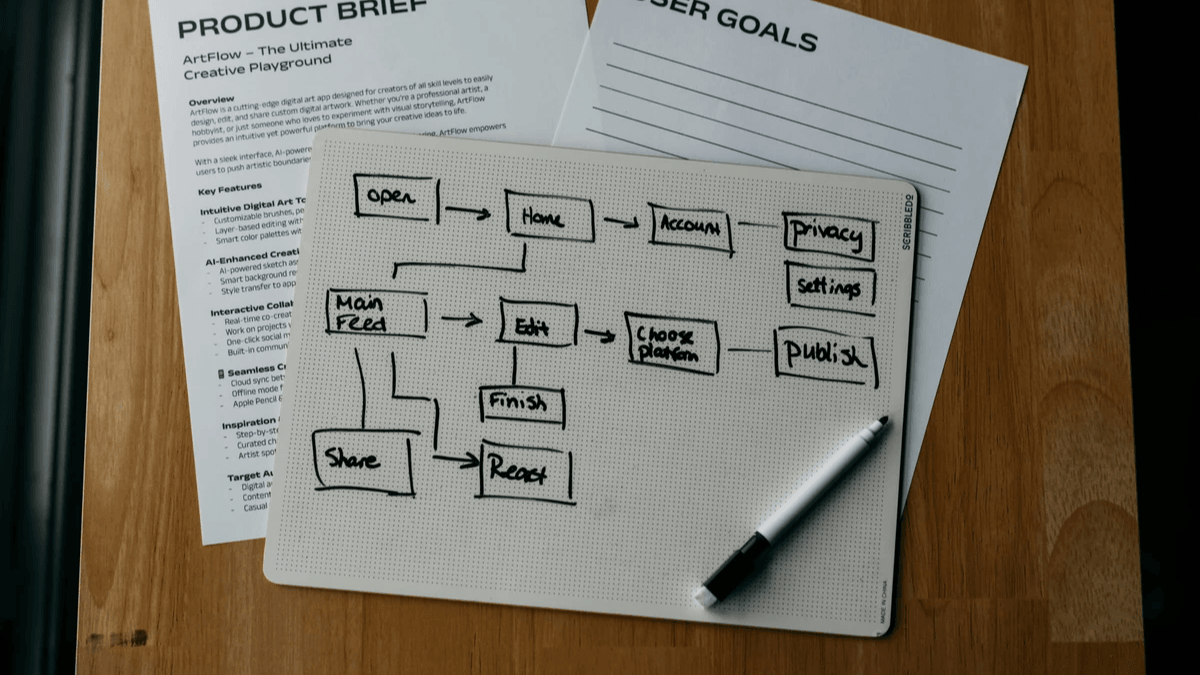
A useful link is a handoff, not decoration. Website internal linking works when the current page creates a question and the destination answers it more completely. Readers should understand why the next page matters before they click, and they should arrive with the same context they had when they left.
That principle applies to connecting related service pages, linking supporting articles to cornerstone content, improving navigation between related topics, and creating stronger content pathways across the whole site. The goal is not to maximize link counts. It is to remove dead ends while keeping each choice relevant.
Trace one real journey before adding another link
Begin with a visitor task, not a sitemap. Someone may land on an article about project costs, compare two services, look for proof, and then request a consultation. Draw that journey from the entry page to the useful outcome. Website internal linking should support the route even when the visitor never sees the homepage.
The four-route link test
- Continue: Does the next page deepen the same question without repeating the current answer?
- Compare: Can the visitor move between genuinely related options without returning to a broad menu?
- Verify: Is proof, policy, or practical detail linked near the claim it supports?
- Act: Does the route reach an appropriate service, product, booking, or inquiry page when intent is ready?
Use the test on three different entry pages. Connecting related service pages may solve comparison, while linking supporting articles to cornerstone content supplies orientation. Improving navigation between related topics helps a reader continue learning, and creating stronger content pathways makes proof and action available without forcing either too early.
The Strikingly guide to website structure planning connects internal links with page hierarchy, navigation, URLs, and visitor intent. That wider view matters because website internal linking cannot repair pages whose roles are unclear. Give each page one main job before deciding where it should send people.
Build service bridges around customer decisions

Strikingly Text Link Editor
Connecting related service pages should clarify differences, not blur them. A design studio might connect Brand Strategy to Visual Identity because one prepares the other. It should not link every service to every other service merely because they share a navigation category. State the relationship in the surrounding sentence: who needs the adjacent service, when it becomes relevant, and what new question it answers.
Place the bridge where the distinction appears. If a copywriting page explains that research is required before messaging, link “audience research” to that service at that moment. Connecting related service pages through descriptive anchors is more helpful than placing a generic “Other Services” grid at the bottom. The link inherits meaning from the paragraph around it.
Keep a route back when it helps comparison. Website internal linking should allow a visitor who opens a specialized service to return to the overview or compare a neighboring option. Connecting related service pages in both useful directions prevents a detailed page from becoming a one-way corridor. Strikingly's guide to creating a multi-page site explains how page-level navigation and URLs work when separate destinations are needed.
Do not hide a service because it is absent from the main menu. Creating stronger content pathways means giving important pages several sensible entrances: a service overview, a related article, a relevant case study, and perhaps the footer. Connecting related service pages adds contextual discovery while the menu remains restrained. Creating stronger content pathways also requires checking that every entrance describes the service consistently.
Give every article a clear place in the topic
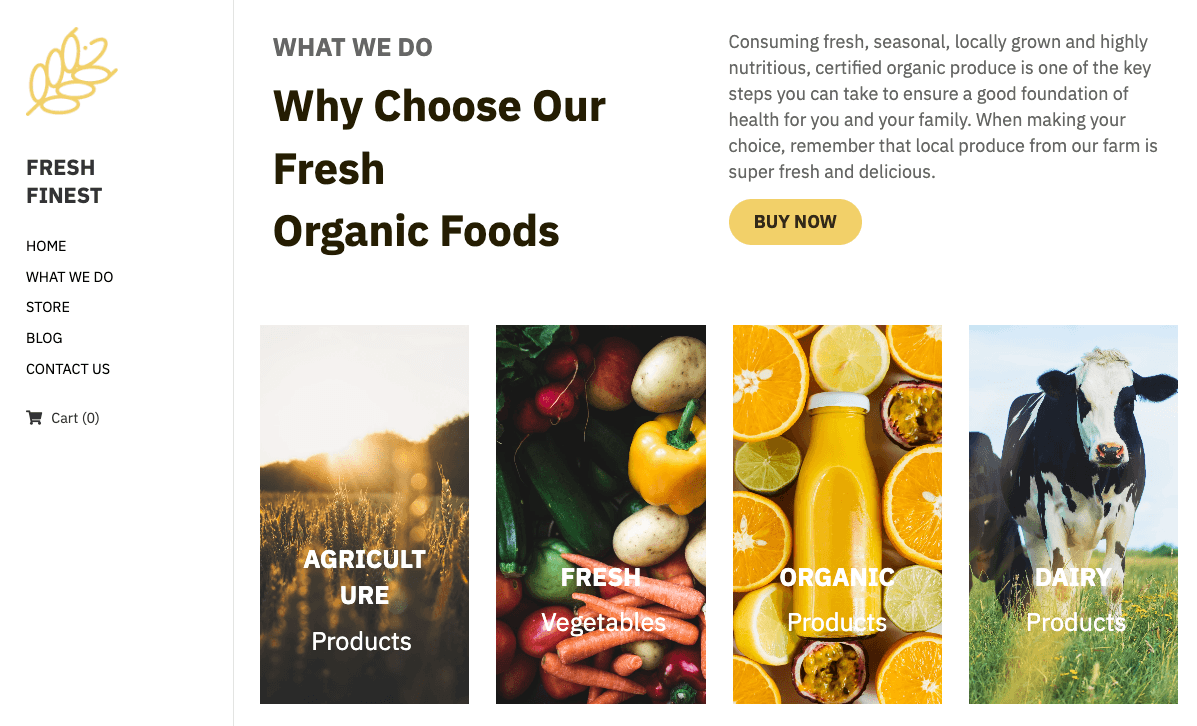
Fresh Finest Blog Template from Strikingly
Linking supporting articles to cornerstone content gives a growing library an understandable center. The cornerstone should explain the broad subject, define important choices, and point toward deeper material. A supporting article should solve one narrower problem and return readers to the larger framework when that context is useful.
Start with a simple content packet: one cornerstone, one procedure, one comparison, one example, and one decision page. Linking supporting articles to cornerstone content establishes the broad route; linking the cornerstone back to selected support pages lets readers choose depth. The official Strikingly article on website content clusters describes pillar, support, sibling, and offer relationships without turning prose into a directory.
Categories help browsing but do not replace editorial links. A category usually collects posts by label or date; a cornerstone explains how the pieces fit. Use Simple Blog Categories as a discovery layer, then keep linking supporting articles to cornerstone content inside passages where readers need orientation. Creating stronger content pathways means combining that broad browsing layer with specific editorial handoffs.
Check the relationship whenever a new article is published. Linking supporting articles to cornerstone content should not wait for an annual audit, because unlinked posts become harder to discover as the archive grows. Improving navigation between related topics also requires one relevant sibling link when the next question is narrower than the cornerstone.
Write anchors that explain the destination

Strikingly Navigation Link Manager
Anchor text should make sense outside the sentence. “Compare website service packages” predicts a destination; “click here” does not. Improving navigation between related topics depends on labels that distinguish definition, procedure, comparison, proof, and action. Repeating the same broad anchor for different destinations makes the structure harder to interpret.
Strikingly's official guide to adding links to text, images, and buttons covers the editor mechanics. Website internal linking adds the editorial decision: select only the words that describe the next page, keep the sentence readable, and confirm that the destination fulfills the promise.
For a long page, a section link may be more respectful than sending visitors to the top. The guide to linking to a specific section explains named and numbered anchors. Improving navigation between related topics can therefore include moving directly to the comparison, policy, or process section that resolves the question.
Review links on mobile, where dense link clusters are difficult to scan and tap. Creating stronger content pathways often means reducing choices to one primary continuation and one optional alternative. Improving navigation between related topics is successful when the reader can predict both routes without opening each one to investigate.
Repair isolated pages and misleading routes

Fashion Blog Template from Strikingly
An orphan page has no useful route from established content. It may be published and indexed, yet remain absent from the journeys visitors actually follow. Website internal linking repairs that isolation by finding the page's topic parent, relevant sibling, proof source, or action destination. If none exists, reconsider whether the page has a distinct job.
Look for misleading routes too. Connecting related service pages fails when an anchor suggests a comparison but opens a generic contact form. Linking supporting articles to cornerstone content fails when the cornerstone no longer mentions the narrower subject. Creating stronger content pathways requires agreement between the anchor, destination heading, and first useful answer.
For large sites, Site Search gives visitors a recovery route across pages, posts, and products. Search does not replace improving navigation between related topics. Repeated searches for a page that already exists often reveal an unfamiliar label or a missing internal link.
Confirm that important pages are indexable as well as linked. Strikingly's guide to Google Search Console and sitemap submission explains verification and sitemap updates. Website internal linking gives crawlers and people contextual routes, while the sitemap provides a broader discovery record.
Maintain a link ledger instead of relying on memory
Record five facts for every priority page
- The page's primary job and intended visitor question.
- Its cornerstone, service group, or topic parent.
- Two or three pages that should link into it.
- The next page a qualified visitor may reasonably need.
- The date its destination, anchor wording, and mobile path were last checked.
The ledger makes website internal linking maintainable when URLs change. Review it after publishing, merging, renaming, or retiring a page. Connecting related service pages may require updating a comparison sentence. Linking supporting articles to cornerstone content may require a new return link. Improving navigation between related topics may mean removing an outdated suggestion rather than adding another.
Measure website internal linking paths by purpose. Use Strikingly built-in analytics to review page activity and sources, and connect Google Analytics 4 when deeper event paths are needed. Creating stronger content pathways should improve relevant continuation, not merely produce more clicks.
Use one page to start a focused repair
Choose a commercially important page and enter it from search, a related article, and a neighboring service. Website internal linking passes the test when each arrival provides orientation and an honest next step. Add only the missing bridge, use descriptive anchor text, test the published destination, and record the change.
Then repeat the exercise around one topic group. Connecting related service pages will clarify choices near the offer. Linking supporting articles to cornerstone content will restore the wider framework. Improving navigation between related topics will keep learning coherent, while creating stronger content pathways will connect understanding, evidence, and action without turning every page into a list of links.
Over time, creating stronger content pathways becomes a publishing habit rather than a cleanup project. Connecting related service pages and linking supporting articles to cornerstone content give every new page a defined neighborhood. Improving navigation between related topics keeps that neighborhood usable, and website internal linking ensures the reader always has a relevant way forward.
